

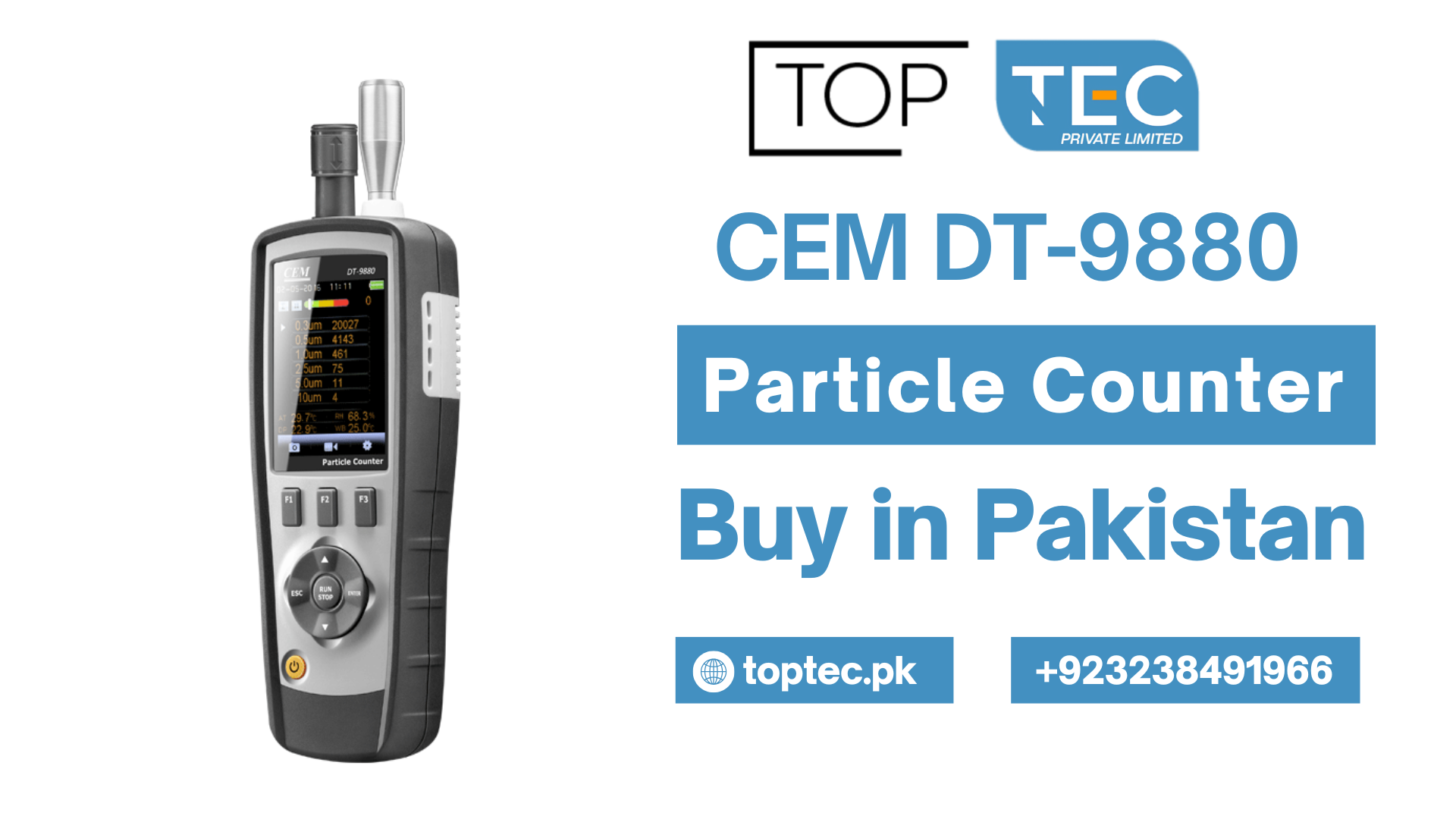
Over the past couple of years, the CEM DT-9880 has become one of the more frequently discussed particle counters in Pakistani pharmaceutical and cleanroom circles. I get questions about it fairly regularly — how to use it properly, what the different measurement modes actually do, whether it’s suitable for GMP environments, and where to get one.
Part of the reason for its popularity is straightforward: it offers reasonable capability at a price point that smaller pharmaceutical companies, hospitals, and research institutions can actually justify. It’s not a Lighthouse or TSI instrument — those are different league, different price. But for facilities that need a functional, portable particle counter without a six-figure instrument budget, the DT-9880 deserves a proper look.
This guide covers everything you need to actually use the instrument properly — the setup, the measurement modes, the data management, the maintenance basics, and the limitations you should understand before you rely on it for compliance purposes.
If you’re considering whether to Buy CEM DT-9880 Particle Counter for your facility, this article will give you a realistic picture. If you’ve already bought one and are trying to figure out how to get the most from it, you’re in the right place.
CEM DT-9880 — What You’re Actually Getting
The CEM DT-9880 is a handheld/portable laser particle counter manufactured by CEM Corporation. Here are the core specifications worth understanding:
Particle size channels: 0.3, 0.5, 1.0, 2.5, 5.0, and 10.0 micrometers — six channels covering the size ranges relevant to ISO 14644 cleanroom classification
Sample flow rate: 0.1 CFM (2.83 L/min) — this is important to note and I’ll come back to it
Counting efficiency: 50% at 0.3μm, >99% for particles larger than 0.45μm
Light source: Laser diode
Display: Color LCD touchscreen
Data storage: Internal memory capable of storing multiple sample records
Connectivity: USB output, optional printer connectivity
Power: Rechargeable lithium battery
Operating environment: Temperature 10-40°C, humidity 10-90% RH non-condensing
Size and weight: Compact handheld design — reasonably light for field use
The instrument comes with a sampling probe, power adapter, USB cable, carrying case, and basic documentation. When you Buy CEM DT-9880 Particle Counter, verify that all these components are present on receipt.
Before You Start — Initial Setup and Checks
Charging the Battery
Before first use, charge the battery fully. Connect the power adapter and allow the instrument to charge until the battery indicator shows complete. Running the instrument on a depleted battery during measurements introduces risk of the instrument shutting down mid-sample — which creates incomplete data records and potentially requires the sample to be repeated.
Typical full charge time is around 4-6 hours depending on starting state. The instrument can operate while charging, but for cleanroom work where you’re moving around, a fully charged battery before you start is the right habit.
Powering On
Press and hold the power button until the display activates. The instrument runs through a self-check sequence. Watch for any error messages during startup — the instrument checks its internal systems and should report any faults before proceeding to the main operating screen.
If you see a laser fault or flow system fault during startup, don’t proceed with measurements. Document the error and have the instrument serviced.
Checking the Sampling Probe
The isokinetic sampling probe is the inlet through which air enters the instrument. Inspect it before each use:
- No visible debris or contamination at the inlet opening
- Tubing connections are secure with no cracks or kinks
- Probe tip is undamaged
A damaged or blocked probe affects flow rate, which directly affects measurement accuracy. This is one of those maintenance checks that takes thirty seconds and matters more than people realize.
Zero Count Check
Before taking any measurements in your monitored space, perform a zero count check. Connect a HEPA filter to the inlet and run a sample. The result should show essentially zero counts across all channels.
If you’re seeing significant counts during a zero count check, the instrument has an internal contamination problem or an electronic noise issue that needs investigation before you trust any measurements.
This check should be documented every time you use the instrument for compliance purposes.
Navigating the Interface
The DT-9880 uses a touchscreen interface. The main screen shows real-time particle count data across the six size channels. From the main screen, you access different functions through the menu structure.
Main measurement screen — Real-time particle counts per channel, current sample status, battery level, time and date
Settings menu — Sample volume, sample time, number of samples, hold time between samples, alarm thresholds, display preferences, date/time setting
Data review — Access stored sample records
Communication — USB data transfer settings
System — Instrument information, firmware version
Take time to navigate through these menus before you’re standing in a cleanroom needing to take measurements. Familiarity with the interface prevents fumbling in a controlled environment where your presence and movements are themselves contamination risks.
Measurement Modes — What They Do and When to Use Them
This is where a lot of users get confused. The DT-9880 offers different sampling approaches, and choosing the right one for your application matters for both the quality of your data and its regulatory defensibility.
Single Sample Mode
What it does: The instrument takes one sample of defined duration, displays the result, and stops.
When to use it: Quick spot checks, preliminary investigation of a potential contamination event, initial room characterization before a formal monitoring session, or any situation where you need a single data point quickly.
How to set it up: In settings, set sample count to 1. Set your sample time (typically 1 minute for most applications, though see the note below about sample volume). When you initiate the sample, the instrument counts for the set duration and displays results.
Limitation: A single sample has high statistical uncertainty. One measurement is not representative of ongoing conditions. Never make compliance decisions based on a single sample alone.
Sequential/Continuous Sampling Mode
What it does: The instrument takes a series of samples automatically — a defined number of samples with defined hold time between each.
When to use it: Routine environmental monitoring, ISO classification measurements, GMP compliance monitoring. This is the mode you’ll use most often for anything that needs to generate meaningful data.
How to set it up: In settings, set sample count to your desired number (for ISO 14644-1 classification, the minimum number of sample locations and samples per location is defined by the cleanroom area). Set sample time. Set hold time if you want a pause between samples. The instrument runs automatically through all programmed samples.
Why it matters: Sequential sampling gives you multiple data points that can be averaged and statistically evaluated. This is what ISO 14644-1 requires for classification measurements. It’s also what GMP environmental monitoring SOPs typically specify.
Manual Hold Mode
What it does: Allows you to manually control when each sample starts and stops rather than using timed automatic sampling.
When to use it: Situations where you need to capture a specific event or time window — investigating a contamination event, capturing particle counts during a specific manufacturing operation, or when you need to precisely control the measurement timing.
Practical note: Manual mode introduces operator variability. For routine monitoring where you want consistent, reproducible sampling, automatic timed mode is better.
Alarm Mode
What it does: Sets alert and action limit thresholds for specific particle size channels. When counts exceed the set threshold, the instrument generates an audible and/or visual alarm.
When to use it: Continuous monitoring applications where you want the instrument to alert you to excursions rather than having someone stare at the screen constantly. Useful for unattended monitoring or for situations where you’re working in the cleanroom and want an alert if conditions deteriorate.
Setting it up: In the alarm settings menu, set threshold values for whichever channels are relevant to your monitoring. For pharmaceutical Grade A/B zones, you’ll typically set alarms for both 0.5μm and 5.0μm channels corresponding to your alert and action limits.
Important caveat: The DT-9880’s alarm function is useful but it’s a portable handheld instrument. For continuous unattended monitoring over extended periods, dedicated fixed particle monitoring systems are more appropriate. Portable instruments like the DT-9880 are better suited for manual monitoring visits rather than continuous automated monitoring.
Sample Volume — The Critical Calculation Most Users Get Wrong
This is probably the most important technical point in this entire guide, and it’s the area where I see the most errors when reviewing environmental monitoring data from facilities using portable counters like the DT-9880.
The DT-9880 samples at 0.1 CFM (2.83 liters per minute).
ISO 14644-1 and GMP requirements specify particle concentrations per cubic meter. They also require that the sample volume be sufficient to count at least 20 particles if the room were at exactly the ISO classification limit.
Here’s the problem. At 2.83 liters per minute, to collect one liter of sample takes about 21 seconds. To collect one cubic meter (1000 liters) of sample takes approximately 353 minutes — nearly 6 hours. That’s obviously not practical.
What this means in practice:
For a 1-minute sample: You collect 2.83 liters. Results are expressed per cubic meter by multiplying by the appropriate factor. But the statistical confidence of a 2.83-liter sample is much lower than a 28.3-liter sample.
For ISO 14644-1 classification of cleanrooms: The standard requires a minimum sample volume such that the sample is statistically adequate. For Grade B/ISO 5 environments (3,520 particles ≥0.5μm per m³ limit), you need substantially more than 2.83 liters per sample to have meaningful statistical confidence.
What this means for regulatory compliance: The DT-9880’s 0.1 CFM flow rate is significantly lower than instruments like the Lighthouse 3016 IAQ (1.0 CFM) or the Met One A2408 (1.0 CFM). For formal ISO classification testing and some GMP monitoring requirements, a 1.0 CFM instrument is strongly preferred — or required — because it can collect adequate sample volumes in practical timeframes.
When facilities Buy CEM DT-9880 Particle Counter expecting to use it as their primary ISO classification instrument, this flow rate limitation sometimes creates problems. For Grade C and D monitoring, and for routine operational monitoring in less critical areas, the DT-9880 is functional. For Grade A/B classification measurements and highly critical applications, understand the statistical implications of the lower flow rate.
Document your sample volume in every record. When calculating concentrations, show the calculation clearly. Auditors will check this.
Running a Compliant Environmental Monitoring Session
Here’s a practical walkthrough for using the DT-9880 in a pharmaceutical environmental monitoring context:
Before Entering the Cleanroom
- Perform zero count check with HEPA filter — document result
- Verify battery is adequately charged
- Verify date and time settings are correct (data records include timestamp — wrong time creates audit trail problems)
- Set sample time and sample count per your SOP
- Set alarm thresholds if using alarm mode
- Verify probe inlet is clean and undamaged
- Don cleanroom garments appropriate for the area being monitored
During Monitoring
- Allow the instrument to equilibrate in the monitoring area for a few minutes before starting samples — especially if moving from a significantly different temperature environment
- Position the inlet probe at the correct sampling location per your monitoring plan (typically breathing zone height, or as specified in your SOP)
- Hold the instrument and probe steady during sampling — movement creates artifact counts
- Don’t breathe directly toward the sampling probe — your own respiration is a contamination source
- Record each sample location in your monitoring log
- Note any unusual observations (personnel in the area, equipment running, door openings) — these contextual notes help interpret results
After Monitoring
- Download data via USB to your computer system
- Complete all paper records contemporaneously — timestamps must match instrument records
- Review results against alert and action limits
- If any excursion, follow your SOP for investigation and notification
- Charge the instrument before next use
Data Download and Record Management
The DT-9880 connects to a computer via USB. CEM provides basic software for data download and display.
For pharmaceutical GMP environments, think carefully about how this data integrates into your documentation system:
Data integrity considerations: Particle counter data is part of your batch/environmental monitoring record. The data should be transferred to your quality system with appropriate controls — not just stored on an uncontrolled PC.
Audit trail: The instrument stores records with timestamps. Any discrepancy between instrument records and paper logs is a data integrity finding during audits. Instrument time must be set correctly and verified regularly.
Backup: Instrument memory can be lost if the instrument is damaged or reset. Regular download and backup of stored data is essential.
21 CFR Part 11 / Annex 11: The DT-9880’s built-in software doesn’t provide full 21 CFR Part 11 or EU Annex 11 compliance features (electronic signatures, audit trails, access controls). For regulated pharmaceutical environments, this needs to be managed through your overall data management system rather than relying on the instrument’s software.
Maintenance — What You Actually Need to Do
The DT-9880 doesn’t require intensive maintenance, but neglecting basic care leads to measurement problems and calibration failures.
Daily (When in Use)
- Zero count check before use
- Visual inspection of inlet probe and tubing
- Battery level check
Weekly
- Clean exterior surfaces with appropriate wipe
- Check probe connections
- Verify stored data has been downloaded and backed up
Monthly
- Inspect tubing for cracking or discoloration (replace if degraded)
- Check flow rate if a reference flow meter is available
- Review instrument logbook for any issues or anomalies
Annually
- Full calibration per ISO 21501-4 by a qualified calibration provider
- Laser output verification
- Counting efficiency check with PSL reference spheres
- Flow rate calibration with traceable reference
- Calibration certificate issued and filed
The annual calibration is non-negotiable for any serious use. Without it, you cannot claim your measurements are traceable or compliant.
Where to Buy CEM DT-9880 Particle Counter in Pakistan
If you’re looking to Buy CEM DT-9880 Particle Counter in Pakistan, a few points worth knowing:
CEM Corporation is a Chinese manufacturer with international distribution. The DT-9880 is available through scientific instrument distributors in Karachi, Lahore, and Islamabad. As with any laboratory instrument, buy from a supplier who can provide:
- Complete accessories and documentation
- A valid warranty
- Local after-sales support or clear service arrangements
- Calibration certificate (either included or arranged separately)
Pricing in Pakistan varies with exchange rates and import duties but generally falls in the PKR 150,000 to 280,000 range depending on supplier and included accessories. Get complete quotes from multiple suppliers before committing.
When you Buy CEM DT-9880 Particle Counter, specifically ask about calibration status — does it come with a factory calibration certificate, and is that certificate adequate for your regulatory requirements? For pharmaceutical GMP use, ISO 21501-4 traceable calibration documentation is the expectation.
TOPTEC PVT. LTD — The Infrastructure Behind Your Monitoring Program
Here’s something most people don’t think about when they Buy CEM DT-9880 Particle Counter or any monitoring instrument: the physical environment where you use and store the instrument matters.
TOPTEC PVT. LTD manufactures laboratory furniture right here in Pakistan. Their products support the cleanroom and QC lab infrastructure that particle monitoring programs depend on:
Cleanroom Furniture — Stainless steel tables, trolleys, and seating with smooth, particle-minimizing surfaces. If you’re doing particle counting in a cleanroom environment, the furniture in that environment contributes to the particle burden. TOPTEC’s cleanroom-appropriate furniture doesn’t undermine the conditions you’re trying to measure.
Pass Boxes — For transferring monitoring instruments and materials between areas of different cleanliness without compromising either zone’s integrity.
Laboratory Workbenches — For QC data review, environmental monitoring record management, and instrument storage between use.
Laminar Flow Hoods — For any sample preparation associated with your environmental monitoring program.
Storage Cabinets — Organized, appropriate storage for instruments, calibration certificates, and reference materials.
TOPTEC manufactures locally, which means no import delays, no customs complications, genuine customization capability, and accessible after-sales support. For pharmaceutical facilities in Pakistan investing in environmental monitoring programs — including particle counters — having quality local laboratory furniture from TOPTEC as the physical foundation makes practical and economic sense.
Honest Assessment — Is the DT-9880 Right for Your Application?
Before you Buy CEM DT-9880 Particle Counter specifically, consider this honest assessment:
Good fit for:
- Hospital pharmacy cleanroom monitoring
- Research laboratory air quality assessment
- Industrial cleanroom spot checking
- Grade C and D pharmaceutical monitoring as part of a broader program
- Facilities needing a portable instrument for investigation of potential contamination events
- Budget-constrained facilities doing their best with available resources
Less ideal for:
- Primary ISO classification testing for Grade A/B pharmaceutical environments (flow rate limitation)
- Continuous unattended monitoring (it’s a portable instrument)
- Facilities requiring full 21 CFR Part 11 compliant data acquisition
- High-volume monitoring programs where faster sampling speed matters
If the DT-9880 fits your application, it’s a functional, reasonably well-built instrument that delivers useful data when used correctly. If your application really demands a 1.0 CFM instrument with full regulatory software compliance, the DT-9880 is probably the wrong choice regardless of the price advantage.
Final Thoughts
The CEM DT-9880 is a capable portable particle counter when you understand its specifications and use it within its appropriate application range. The measurement modes give you flexibility for different monitoring scenarios. The data storage and USB connectivity make record management manageable. The six-channel coverage across 0.3 to 10.0 micron gives you the size distribution data most cleanroom applications require.
Use it with proper procedures. Perform the zero count check every time. Calculate and document sample volumes correctly. Maintain it properly. Get it calibrated annually to ISO 21501-4. And understand where its flow rate limitation matters for your specific compliance context.
And when you’re setting up or upgrading the laboratory and cleanroom infrastructure around your monitoring program, remember that quality furniture from local Pakistani manufacturers like TOPTEC PVT. LTD provides the physical foundation that good laboratory practice requires — without the cost and complexity of importing everything from abroad.
